AI Ghostface Photos
The Ghostface trend drops the masked figure from the Scream movies into an ordinary photo of you — standing silently behind you in a doorway while the flash goes off. Spooky, a little funny, and one of the most posted AI photo styles of the Halloween season.
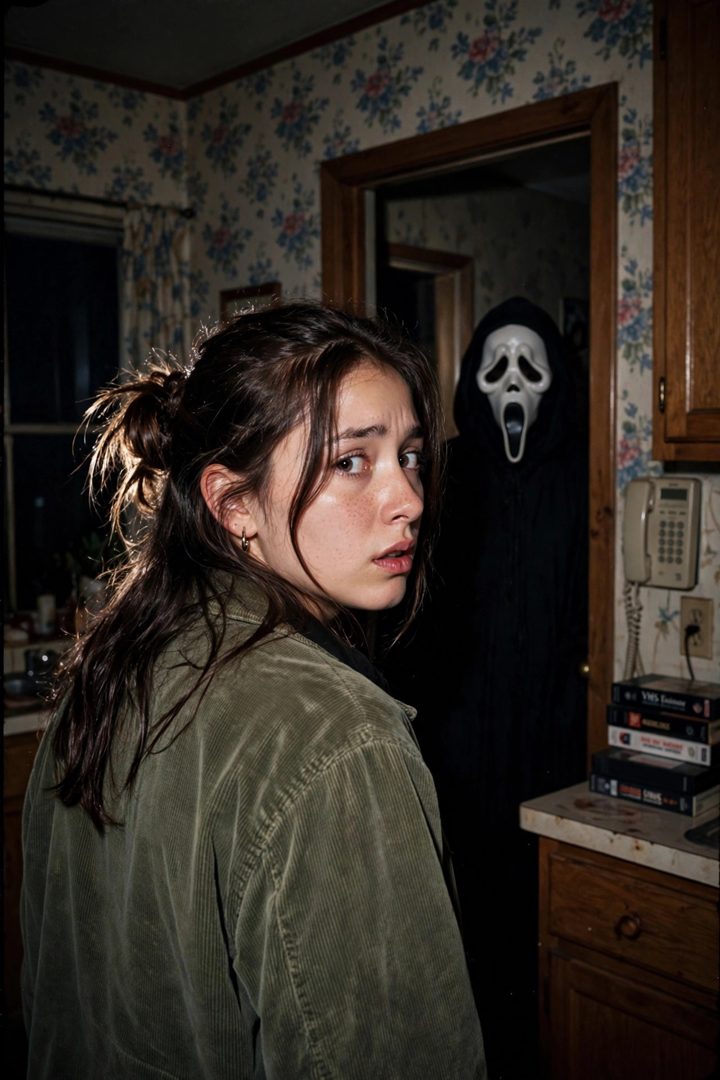
What you need
A photo of yourself indoors (a hallway, doorway or mirror selfie works best) and a free AI image editor like Google Gemini (Nano Banana).
Copy-paste prompts
Add the Ghostface character from the Scream movies standing silently in the doorway behind me, 90s horror movie still, direct flash photography, moody and realistic. Keep me exactly the same, do not change my face.
Edit this mirror selfie: place the Ghostface figure from Scream standing behind me in the dark hallway, visible over my shoulder. Flash-photo look, cinematic horror mood, keep my face and outfit unchanged.
Add Ghostface standing in the background of this party photo, watching silently, like a horror movie frame. 90s film grain, direct flash, everyone else in the photo stays exactly the same.
Step by step
- Pick an indoor photo with a doorway, hallway or mirror in it — the figure needs somewhere to lurk.
- Upload and paste one of the prompts above.
- Check the figure's distance — it reads best slightly far and slightly out of focus, like it doesn't belong there.
- Post it without explaining. Half the fun is people spotting him themselves.
Good to know
- This is a playful fan-edit trend — only use your own photos or photos you have permission to edit.
- Darker rooms and flash photos sell the effect far better than bright daylight shots.